Step 2 of 15 · Quoting
Win the work
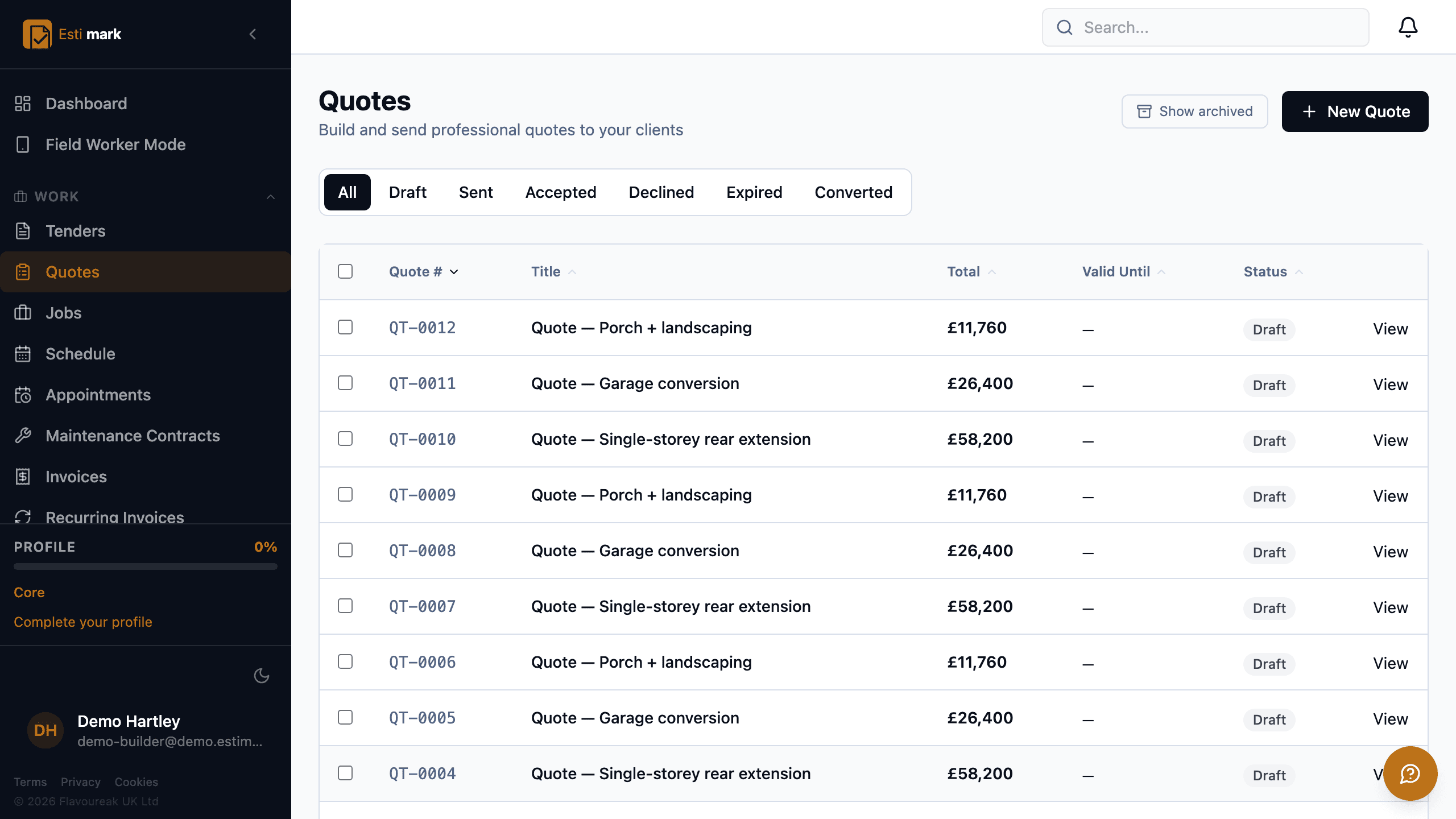
Construction quoting software should get you an answer, so an Estimark quote is a branded PDF the client opens from a link, reads, and accepts and signs online without creating an account. Each quote carries a number, a title, a total, a valid-until date and a status, and the list can be filtered down to the ones still in play. Acceptance is recorded against the quote with the date. The quote then converts into a job carrying the total the client agreed to.
- 01
How do you tell a live quote from a dead one?
By its status. A quote is draft while you’re building it, sent once it’s with the client, then accepted, declined, expired or converted. Each of those is a filter, so "what am I waiting on" is one click rather than a read through a spreadsheet. The valid-until date does the tidying: a quote nobody answers expires by itself instead of sitting in the pipeline forever, inflating a number you’re making decisions on.
- 02
What does the client actually get?
A quote on your letterhead with your terms, the line items you chose to show, and net, VAT and total set out the way a VAT invoice needs them. It opens from a link on a phone. They can accept it and sign it there, and the signature is stored against the quote with the date it was given, so there’s a record of what was agreed and when.
- 03
Who is this client, and what have they had from you before?
The client record holds it. Residential and commercial clients sit in one register with their contacts, and their quotes, jobs and invoices hang off them. Before you price the next one you can see what you charged last time and whether they paid on time.
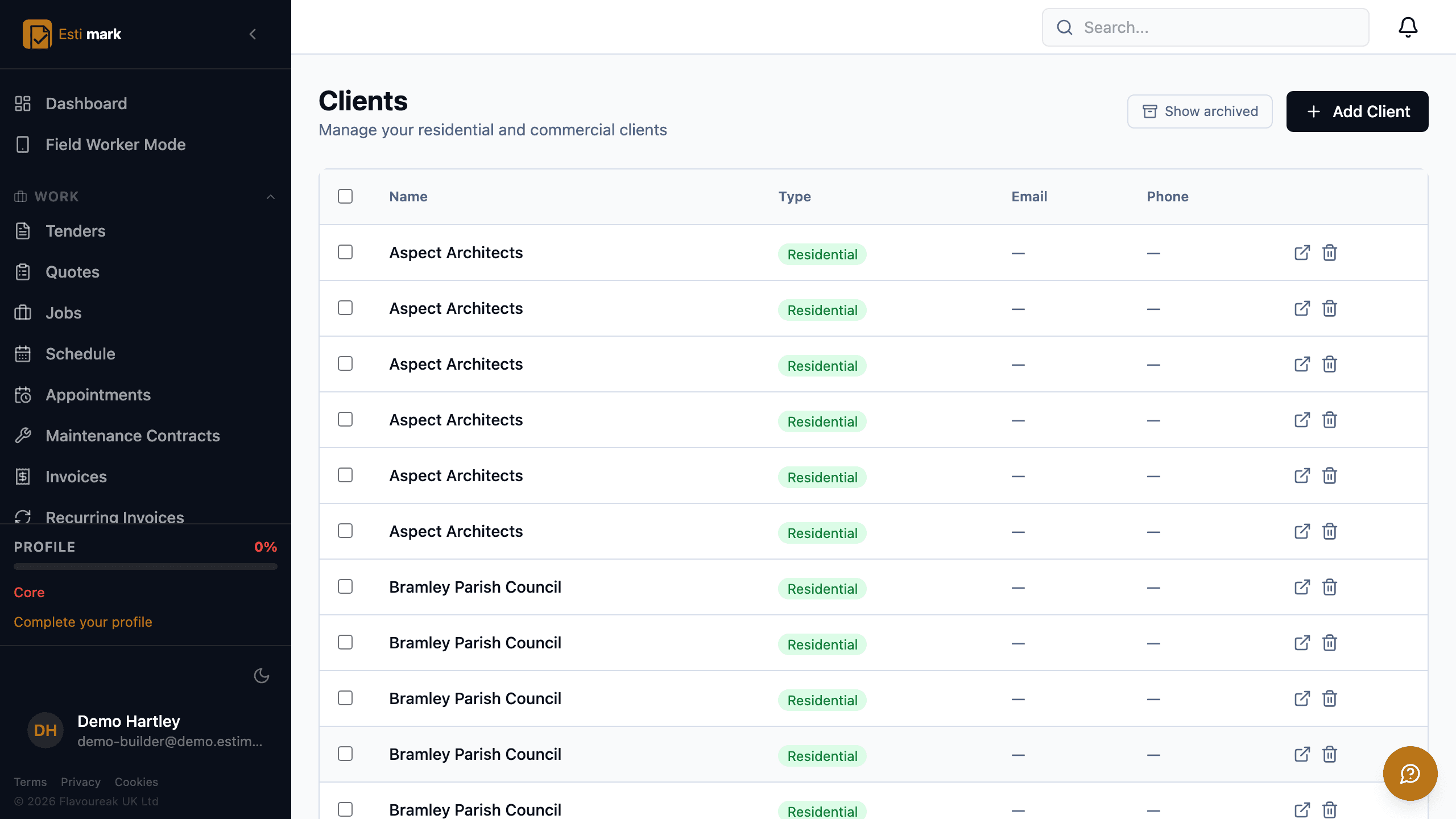
The client register, with residential and commercial clients in one list and a column each for their type, email address and phone number. - 04
What happens the moment a quote is accepted?
It becomes a job. The job appears on the board as pending, carrying the accepted total as its budget baseline. Nobody re-keys the figure, and nothing is lost in the gap between the estimator and the site.
- Statuses
- Draft, sent, accepted, declined, expired, converted
- Acceptance
- Viewed, accepted and signed online, no client login
- Conversion
- One click to a job, budget attached
What this step does not do
- A client can accept and sign online. Paying a deposit by card on that same screen isn’t available yet.
Go deeper
Questions
Quoting, frequently asked
Does the client need an Estimark login to accept a quote?
No. The quote opens from a link, and acceptance and signature happen on that page. There’s no account to create and no app to install.
What happens to a quote nobody answers?
It expires on its valid-until date and moves to the expired filter, so the pipeline figure reflects work that is still actually available.
Job management software for builders earns its keep on one screen, the board that answers "what is happening this week" without a phone call.
Build on a solid foundation.
Run the whole business without an implementation project and without legacy baggage. Every plan starts with 14 days free.
Estimating · Jobs · Invoicing · CIS · H&S · Reactive maintenance