Step 5 of 15 · On site
Capture what happens on site
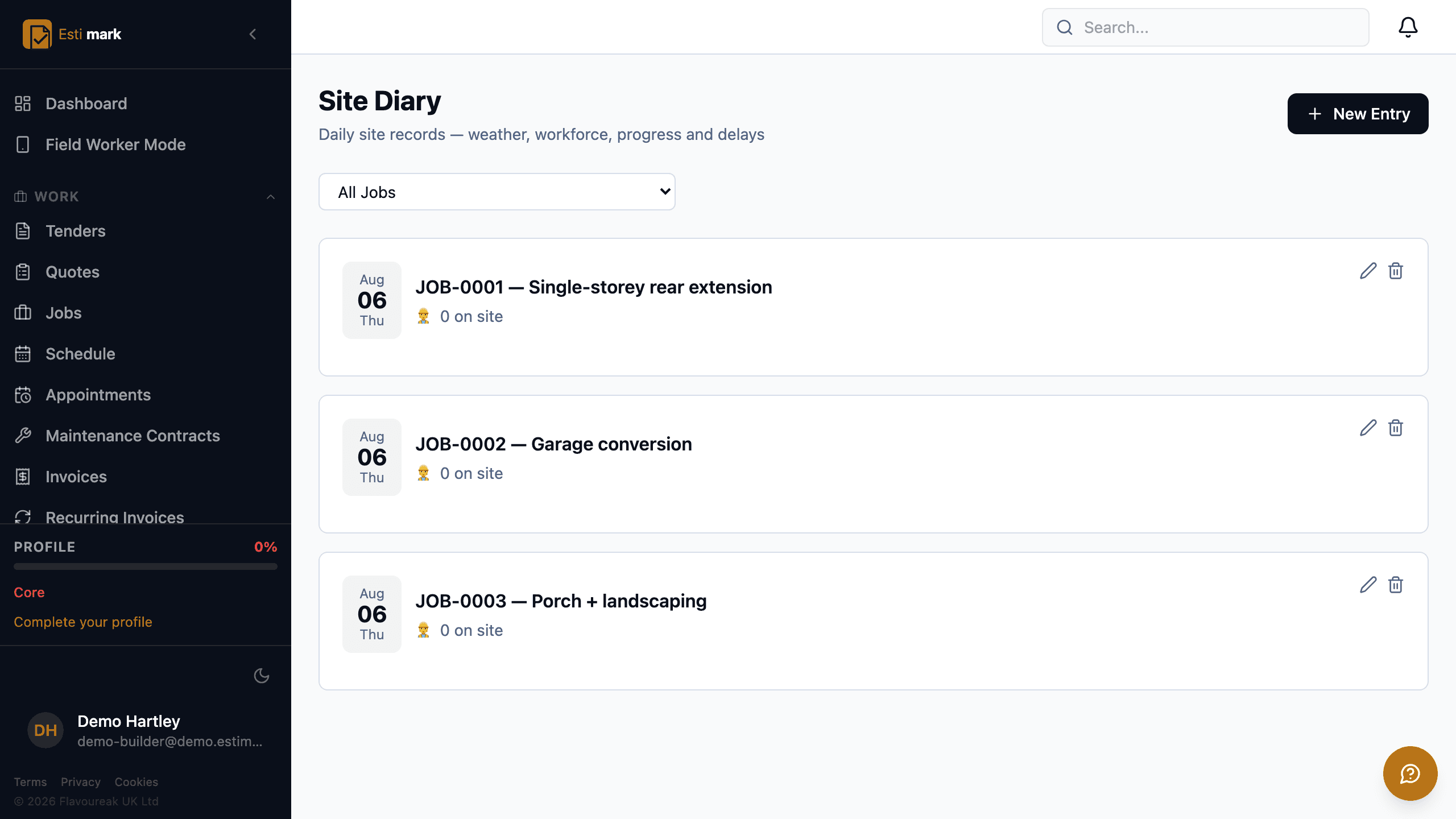
A site diary is the dated record of what happened on a job each day, and Estimark keeps one per job covering the workforce on site, the weather, progress, deliveries, instructions received and delays. Hours go on a timesheet against the job from a phone, and Field Worker Mode gives an operative that screen without the rest of the office system. Attendance can be taken by scanning a QR code at the gate, with a GPS check that the person is where the code is. Anything captured with no signal queues on the device and sends itself later.
- 01
What goes in a site diary?
One entry per job per day: who was on site and how many, the weather, what got done, what turned up, what you were told to do and what held you back. Photos attach to the entry. Records written on the day carry weight that a reconstruction three months later does not, and a delay argument usually turns on whether anybody kept them.
- 02
How do operatives record their hours?
They log hours against a job. Total hours, labour cost and the number of entries waiting for approval sit across the top, and you filter by job and by date range. Hours are approved before they count, so a mistake gets caught by a person rather than by payroll. Approved hours export for whatever runs your payroll, and they feed the labour side of job costing.
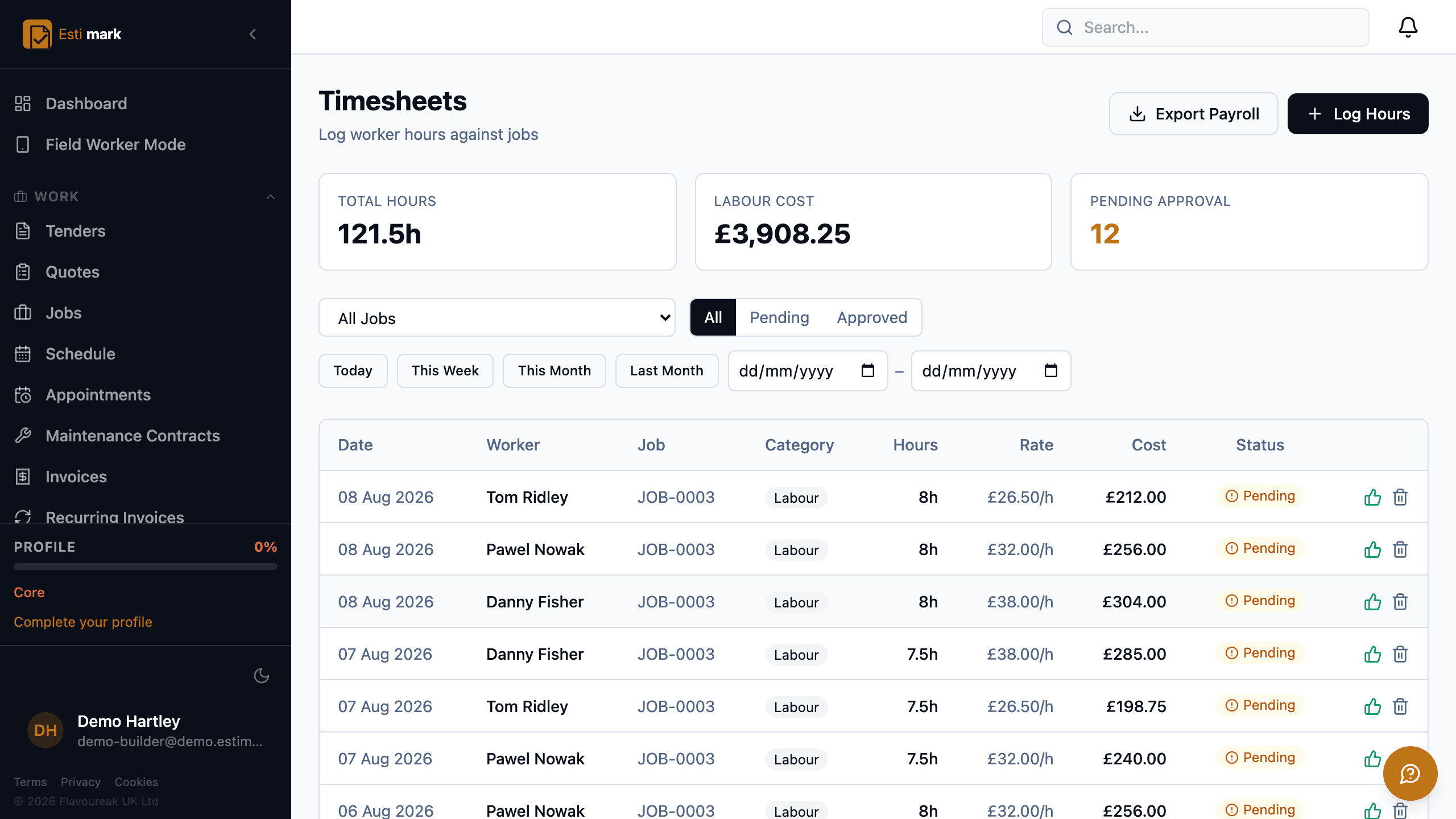
The timesheet screen, with total hours, labour cost and the number still awaiting approval across the top, then a row for each entry giving the worker, the job, the hours, the rate and the cost, and a payroll export button. - 03
Do operatives get the whole office system on their phone?
No, and they shouldn’t. Field Worker Mode is a separate, cut-down screen for the four things somebody on site needs: their jobs, their hours, photos and the diary. Nobody has to learn a menu built for the office to book eight hours.
- 04
What happens where there’s no signal?
Plant rooms, basements, lift shafts and half of rural Britain have no coverage. Work is saved on the device and sent when a signal comes back, so pressing save means the same thing everywhere and nobody loses an afternoon of records.
- 05
Can attendance be taken at the gate?
Yes. Each job can carry its own QR code for the site entrance. Scanning it records attendance against the job, checks by GPS that the phone is actually at the site, and creates the timesheet entry. Access can be refused where an induction, an in-date card or a signature on the current RAMS is missing, so the check happens at the gate rather than in an audit six months later.
- Attendance
- QR scan at the gate with a GPS check
- Photos
- Time and location stamped, albums and before-and-after
- Offline
- Queued on the device, sent when signal returns
What this step does not do
- This step is the web app, which installs to the home screen of any phone or tablet. It is not either of the phone apps, which are separate downloads and are what the next two steps are about.
Questions
On site, frequently asked
Do operatives need a phone signal to book hours?
No. Work is saved on the device and sent when a signal comes back, so pressing save means the same thing everywhere and nobody loses an afternoon of records.
Is there an app, or is it a browser?
This step is the web app, which installs to the home screen of any phone or tablet. The phone apps are separate downloads, on the App Store for iPhone and on Google Play for Android. The next two steps are written about the iPhone one.
A construction app for the iPhone earns its place by working in a plant room, so Estimark for iPhone is written in Swift rather than being this website in a wrapper, and it keeps its own database on the handset.
Build on a solid foundation.
Run the whole business without an implementation project and without legacy baggage. Every plan starts with 14 days free.
Estimating · Jobs · Invoicing · CIS · H&S · Reactive maintenance